How to Choose the Best IPTV Service in 2026: The Definitive Buyer’s Evaluation Guide
Choosing an IPTV service has become significantly more complex over the past several years. The market is saturated with hundreds of providers, each claiming to deliver tens of thousands of live channels, hundreds of thousands of on-demand movies, and pristine 4K video for pennies a day. Yet, anyone who has spent time navigating the IPTV landscape knows that glossy promotional websites frequently mask severe underlying problems: relentless buffering during major sports matches, broken channel links, unreadable electronic program guides, non-existent customer support, and sudden service outages.
Finding a dependable television service is not about tracking down the cheapest subscription or the provider boasting the largest theoretical channel count. A subscription offering 80,000 channels is completely useless if the single sports feed or premium network you want to watch freezes every thirty seconds during prime viewing hours.
True streaming quality depends entirely on factors that budget resellers rarely discuss: dedicated server infrastructure, content delivery network (CDN) routing, stream compression bitrates, audio encoding standards, software compatibility, and responsive customer assistance.
This comprehensive evaluation guide cuts through industry marketing claims. It equips you with the technical criteria, practical testing protocols, and hardware knowledge required to choose an IPTV service that delivers consistent, satellite-grade television straight to your living room.
Experience Reflexsat IPTV
Upgrade your streaming with satellite-grade, anti-freeze 10.0 infrastructure. Over 50,000 live channels, 4K 60FPS sports, and 200,000+ VODs.
Quick Summary: The 2026 IPTV Buyer’s Checklist
Before analyzing technical specifications in depth, use this foundational checklist when evaluating any prospective provider:
- Dedicated Server Infrastructure & CDN Routing: Look for multi-cluster server backbones that dynamically balance traffic rather than single, overloaded VPS nodes.
- True Bitrates over Resolution Labels: Prioritize authentic 1080p and 4K streams broadcasting at 8 to 20 Mbps with 60 FPS for sports, rather than heavily compressed 3 Mbps streams carrying misleading "4K" labels.
- Advanced Anti-Freeze & Load Balancing: The service must maintain server headroom during high-concurrency events such as Champions League matches or the Super Bowl.
- Native Xtream Codes API & M3U Playlist Support: Ensure compatibility with industry-standard players like TiviMate, IPTV Smarters Pro, and modern tvOS applications.
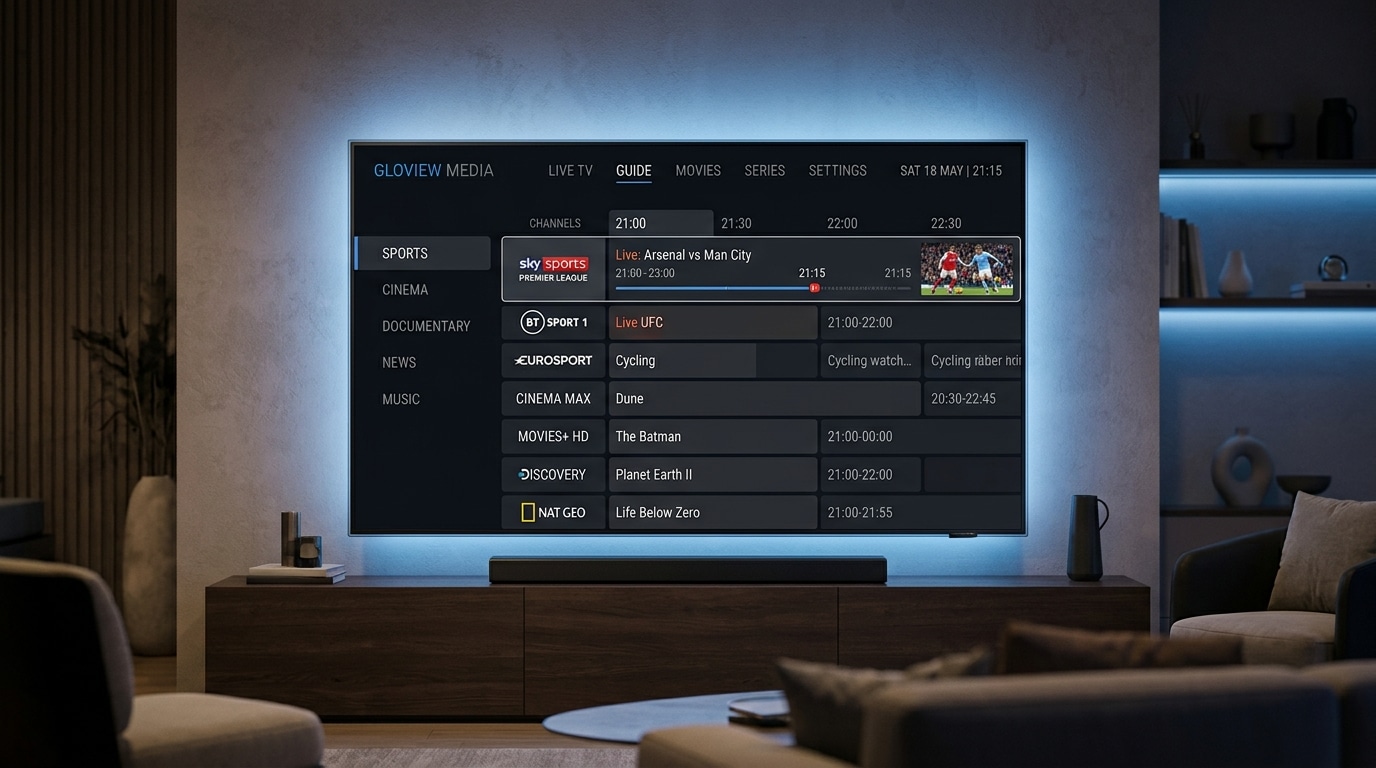
- Accurate, Multi-Source Electronic Program Guide (EPG): A properly mapped XMLTV guide with at least 7 days of schedule data and catch-up capability.
- Curated, Maintained Channel Lineups: Organized bouquets with localized categorization, verified working streams, and zero dead channel bloat.
- Transparent Connection Allocations: Clear simultaneous device options (1, 2, or 3 connections) to support multiple household screens without account bans.
- Real-Time Customer Assistance: Dedicated, human-operated WhatsApp or live-chat support desks capable of resolving routing or credential issues in minutes.
- Prepaid Billing with Zero Long-Term Contracts: Flexible 3-month, 6-month, or 12-month prepaid terms without hidden recurring credit card charges.
- Trial Period Availability: The opportunity to stress-test the service during peak evening hours before purchasing an annual plan.
The Reality of the Modern IPTV Marketplace: Marketing Claims vs. Technical Truth
The television distribution landscape has shifted permanently toward internet protocol delivery. As legacy cable and satellite subscriptions continue raising prices while cutting channels, millions of viewers have turned to IPTV for flexible, comprehensive entertainment.
However, because the barrier to launching a generic IPTV reseller website is low, the quality gap between amateur resellers and professional streaming providers has widened dramatically.
The Myth of "100,000 Channels"
One of the most pervasive sales tactics in the industry is advertising massive channel counts. Providers proudly advertise 50,000, 70,000, or even 100,000 live channels.
In practice, these massive numbers are achieved by dumping thousands of dead streams, duplicated feeds, unmonitored web scrapers, foreign regional feeds with zero audio, and automated test loops into a single, monolithic playlist file.
An oversized playlist creates severe technical bottlenecks for your hardware:
- It causes player apps to crash or freeze when attempting to parse massive multi-megabyte M3U files into memory.
- It slows down channel search, category switching, and playlist synchronization.
- It degrades Electronic Program Guide (EPG) assignment, leaving most channels displaying "No Information Available."
A professional service like Reflexsat IPTV focuses on maintaining high-availability, premium streams that viewers actually watch: major national networks, international sports packages, dedicated news feeds, children's programming, and curated entertainment categories. Quality, uptime, and proper categorization will always deliver a vastly superior experience compared to sheer channel bloat.
The Truth About "4K Ultra HD" Labels
Another common marketing deception is labeling standard streams as "4K Ultra HD." A video stream can easily have its resolution metadata tagged as 3840x2160 pixels while actually originating from a 720p broadcast that was run through an inexpensive digital upscaler.
True 4K video requires substantial transmission bandwidth:
- A legitimate 4K UHD 60 FPS broadcast requires an uninterrupted stream bitrate between 18 Mbps and 30 Mbps.
- The stream must be encoded using high-efficiency video coding such as H.265 (HEVC) or AV1.
- The receiving streaming device must have hardware decoders capable of rendering 10-bit color depth without thermal throttling.
When a budget provider offers "thousands of 4K channels" that only consume 4 Mbps of bandwidth, you are watching an upscaled, highly compressed feed that will look blurry during camera movement and judder during fast-paced sports.
The 8 Critical Pillars of a High-Performance IPTV Service
To separate professional broadcast infrastructure from unreliable reseller setups, evaluate prospective services across these eight objective technical criteria.
+-------------------------------------------------------------------------+
|                  THE 8 PILLARS OF IPTV EVALUATION                       |
+-------------------------------------------------------------------------+
| 1. Server Infrastructure  | Multi-cluster CDN, load balancing, 99.9% up|
| 2. Video & Audio Bitrates | True H.265/HEVC, 60 FPS sports, AC3 audio   |
| 3. Anti-Freeze Technology | Smart packet loss mitigation, auto-failover |
| 4. EPG Guide Accuracy     | 7-day schedule, XMLTV sync, catch-up data   |
| 5. Curated VOD Library    | Regularly updated 4K movies & multi-audio   |
| 6. Device Compatibility   | Firestick, Apple TV, Android TV, Smart TVs  |
| 7. Responsive Support     | WhatsApp live help in under 5 minutes       |
| 8. Transparent Billing    | Prepaid plans, zero contracts, secure pay   |
+-------------------------------------------------------------------------+
1. Server Architecture and Content Delivery Networks (CDNs)
The server backbone is the single most important factor determining whether your stream plays smoothly or buffers constantly.
Low-cost IPTV providers typically rent a handful of unmanaged virtual private servers (VPS) located in a single datacenter. When thousands of subscribers tune in to watch a major international football match or championship pay-per-view event, those servers instantly exhaust their network interface bandwidth and CPU capacity. The result is universal buffering across every connected client.
By contrast, an enterprise-grade service deploys a geographically distributed Content Delivery Network (CDN) paired with intelligent load balancers:
- Edge Caching: Stream data is cached across edge servers positioned close to the end user, reducing network hops, latency, and packet loss.
- Dynamic Load Distribution: When subscriber traffic surges on a specific channel bouquet, automated load balancers re-route connections across secondary clusters before hardware thresholds are breached.
- Redundant Ingest Feeds: Reliable services capture primary broadcast signals from multiple satellite downlink stations. If an uplink transponder encounters bad weather or signal loss, the system switches to a backup transponder feed in milliseconds without dropping the subscriber's stream.
2. Stream Encoding, Bitrates, and Frame Rates
Video quality is governed by mathematical data density, known as bitrate, combined with the efficiency of the video codec:
| Stream Resolution | Target Frame Rate | Minimum Clean Bitrate | Recommended Codec | Target Use Case |
|---|---|---|---|---|
| Standard Definition (SD) | 25 / 30 FPS | 2.5 – 3.5 Mbps | H.264 / AVC | Legacy low-bandwidth mobile connections |
| High Definition (720p) | 50 / 60 FPS | 5.0 – 7.0 Mbps | H.264 / H.265 | Standard television networks, news |
| Full HD (1080p Standard) | 25 / 30 FPS | 8.0 – 10.0 Mbps | H.264 / H.265 | Documentaries, drama, movies |
| Full HD (1080p Sports) | 50 / 60 FPS | 12.0 – 16.0 Mbps | H.265 / HEVC | Live Premier League, NFL, NBA, Formula 1 |
| True 4K Ultra HD | 50 / 60 FPS | 20.0 – 35.0 Mbps | H.265 (10-bit) / AV1 | Flagship 4K sports events, blockbuster cinema |
Notice the critical distinction between 30 FPS and 60 FPS (or 50 FPS for European PAL broadcasts). In cinema and episodic drama, 24 to 30 frames per second is standard and provides an organic film appearance. However, watching live sports at 30 FPS produces severe motion blur, ball ghosting, and eye strain.
High-grade providers explicitly deliver their sports bouquets in true 50 or 60 FPS. If a provider cannot confirm that their primary sports channels run at 60 FPS, look elsewhere.
3. Anti-Freeze Architecture and Error Correction
Internet traffic fluctuates constantly. Even on high-speed fiber broadband, brief micro-bursts of packet jitter and network congestion occur along transit peering routes between your internet service provider (ISP) and the streaming server.
Unoptimized IPTV servers send raw MPEG-TS video packets with zero buffer tolerance. When a micro-burst drops three video packets, the player app immediately stalls, displaying a loading wheel while it re-establishes the TCP socket.
Modern anti-freeze architecture incorporates advanced error-handling mechanisms:
- Proactive Buffer Pre-Loading: The server delivers an initial 2-to-3 second cache chunk during connection handshake, giving the client player enough video cushion to absorb momentary transit spikes.
- Adaptive Bitrate Switching: On compatible players, the stream dynamically adjusts packet delivery intervals to prevent buffer depletion when local Wi-Fi strength dips.
- Forward Error Correction (FEC): Parity data packets allow the player software to reconstruct missing video packets on the fly without waiting for a full socket re-transmission.
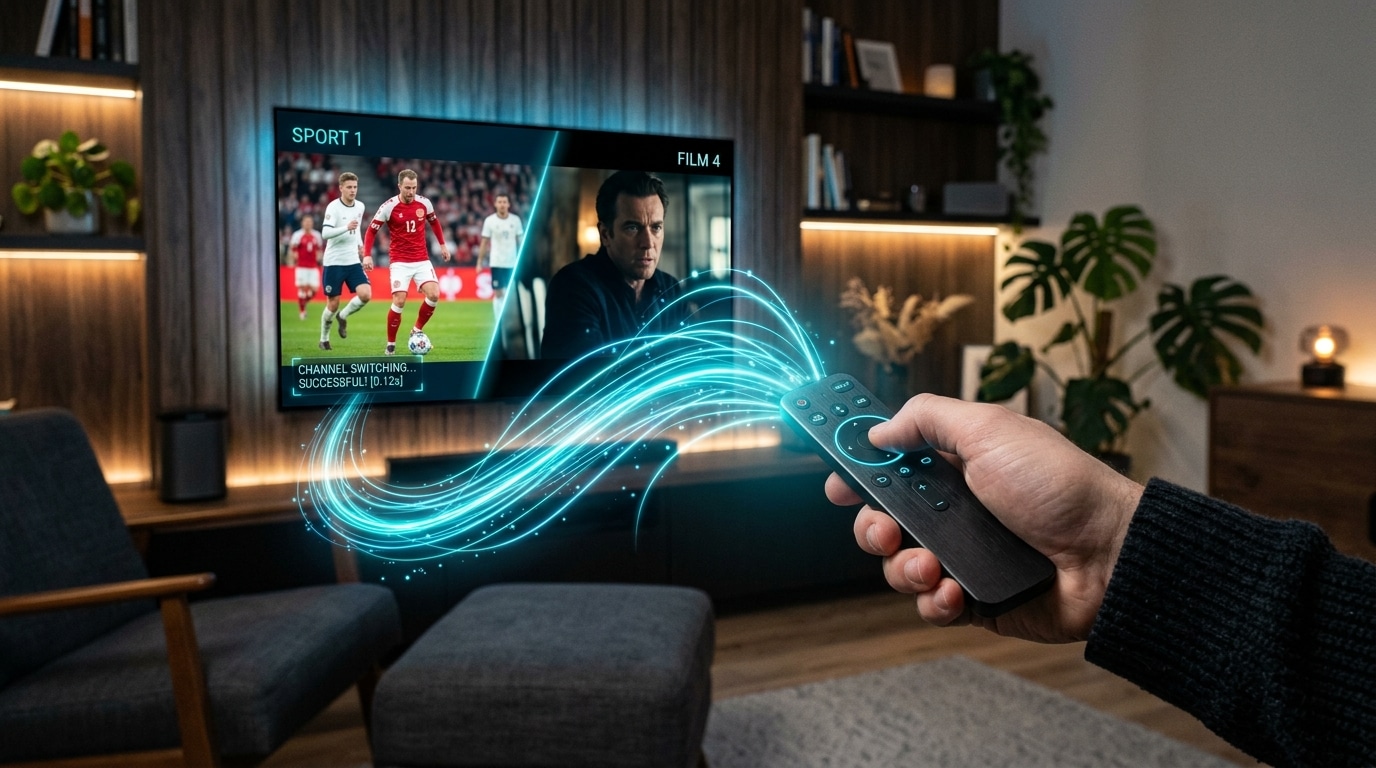
Learn more about how modern anti-freeze systems work in our guide on IPTV channel switching and zapping optimization.
4. Electronic Program Guide (EPG) Accuracy and Catch-Up TV
Television without an accurate program guide is an exercise in frustration. A quality EPG transforms an IPTV player into a true modern television interface.
Evaluate the provider's EPG across three dimensions:
- XMLTV Source Quality: Does the provider generate dedicated XMLTV feeds synchronized with accurate timezone offsets, or are the program times offset by several hours?
- Metadata Depth: A high-quality guide displays show titles, detailed episode synopsis descriptions, original air dates, season and episode numbers, and category tags.
- Catch-Up TV Functionality: Premium providers record recent broadcast streams and store them on server clusters for 24 to 72 hours. This enables you to rewind live programming, restart a show you missed, or browse yesterday's broadcast schedule directly through your player's timeline.
5. Curated Video on Demand (VOD) Library
While live television is the primary reason many choose IPTV, a robust Video on Demand (VOD) section provides significant value by replacing expensive movie streaming subscriptions.
When inspecting a provider's VOD library, look for:
- Audio Codec Compatibility: Video files should incorporate modern multi-channel audio tracks (Dolby Digital AC3 or E-AC3) alongside standard AAC stereo, ensuring proper sound on soundbars and home theater receivers.
- Subtitle Integration: High-quality VOD entries feature embedded, synchronized subtitle tracks across multiple languages rather than missing or out-of-sync text files.
- Regular Catalog Maintenance: Dead links, broken video files, and outdated content must be pruned systematically, with newly released titles uploaded in clean 1080p and 4K digital prints rather than shaky camcorder recordings.
6. Broad Device and Operating System Compatibility
Your IPTV subscription must function seamlessly across the hardware you already own, without forcing you to buy proprietary, locked-down set-top boxes.
A reputable provider delivers standard credentials compatible with all major platforms:
- Amazon Fire TV Ecosystem: Firestick 4K, 4K Max, and Fire TV Cube. (Read our Firestick IPTV installation guide).
- Apple Hardware: Apple TV 4K (tvOS), iPad, iPhone, and Mac. (Explore our Apple TV IPTV setup guide).
- Android TV & Google TV: Nvidia Shield TV Pro, Chromecast with Google TV, Xiaomi Mi Box, and Sony/TCL smart TVs.
- Smart TV Native OS: Samsung (Tizen OS) and LG (webOS) using approved portal applications such as IBO Player or Smart IPTV.
- Windows PC & macOS: VLC Media Player, IPTV Smarters desktop, or native web players.
- Dedicated Linux IPTV Set-Top Boxes: Formuler Z-series, MAG boxes (via Stalker portal MAC address registration).
Review our comprehensive device setup guide for step-by-step instructions for each hardware platform.
7. Responsive, Multi-Channel Customer Support
The technical nature of internet streaming means that questions will occasionally arise: a channel URL may need refreshing, an ISP may implement new DNS blocks, or a subscriber may need guidance setting up an Apple TV or Firestick.
The hallmark of a disreputable provider is support that vanishes the moment your payment clears. If a company only offers a generic web contact form that takes 72 hours to reply, you will be left stranded when a channel goes down right before kickoff.
Look for services that offer real-time communication channels:
- WhatsApp VIP Support: Instant messaging platforms allow customer service teams to provide direct, personalized guidance, send setup screenshots, and verify account credentials in real time.
- Dedicated Email Support: A monitored support inbox for billing questions and configuration files.
- Comprehensive Knowledge Bases: Detailed, public troubleshooting guides and FAQs that help subscribers resolve common issues independently.
At Reflexsat, our support desk operates continuously on our live support desk, responding to subscriber inquiries in under five minutes. You can test our response time directly on our contact page.
8. Transparent Billing, Prepaid Terms, and Security
Never subscribe to an IPTV provider that demands automated, recurring monthly credit card subscriptions that are difficult to cancel.
The standard across the professional IPTV industry is prepaid, non-recurring billing:
- You purchase a set subscription term (such as 3 months, 6 months, or 12 months).
- When the term approaches expiration, you receive a friendly notification allowing you to renew manually if you are pleased with the service.
- If you choose not to renew, your account simply expires with zero risk of unexpected credit card rebills.
- Payment methods should include secure, encrypted checkout options such as major credit/debit cards processed through SSL encryption, PayPal, and major cryptocurrencies (Bitcoin, USDT) for complete privacy.
Compare pricing and simultaneous connection tiers on the Reflexsat IPTV pricing page.
Technical Protocol Comparison: Xtream Codes API vs. M3U Playlists
When you subscribe to an IPTV service, the provider will supply connection credentials using one of two primary formats: an M3U Playlist URL or Xtream Codes API credentials. Understanding the difference between these two protocols is vital for getting the best performance out of your player application.
+-----------------------------------------------------------------------------------+
|                        M3U URL vs. XTREAM CODES API                               |
+-----------------------------------------------------------------------------------+
| Feature                    | M3U Playlist URL            | Xtream Codes API       |
+----------------------------+-----------------------------+------------------------+
| Initial Setup Speed        | Fast (single URL paste)     | Fast (Server/User/Pass)|
| Playlist File Size         | Massive (20MB – 80MB text)  | Lightweight (JSON API) |
| Memory Overhead on Device  | Heavy (can crash low-RAM TVs)| Extremely Low          |
| EPG Synchronization        | Requires separate XMLTV URL | Automatic & Integrated |
| VOD Categories & Metadata  | Basic / Cluttered           | Rich Posters & Synopsis|
| Stream Auto-Updating       | Requires manual re-download | Dynamic on channel click|
| Multi-Screen & Catchup     | Limited support             | Full native support    |
+-----------------------------------------------------------------------------------+
The M3U Playlist URL Explained
An M3U file is essentially a plain-text document containing thousands of lines. Each channel is represented by a metadata header (channel name, logo image URL, group name) followed directly by the raw streaming media URL (ending in .ts or .m3u8).
While M3U links are universally supported by almost every media player—including VLC—they have significant drawbacks on streaming devices:
- Every time you launch your player, the app must download and parse the entire 50MB text file, placing heavy strain on your streaming stick's RAM.
- If the provider updates a channel URL or changes server routing, your player will not recognize the change until the entire playlist is manually refreshed.
- EPG data is not included in an M3U file; you must configure and manage a separate, secondary XMLTV URL.
The Xtream Codes API Explained
Xtream Codes is a structured database protocol. Instead of downloading a massive text file, your IPTV player communicates with the provider's server through lightweight JSON database queries.
You enter three simple parameters into your player:
- Server URL / DNS: (e.g.,
http://service-domain.com:8080) - Username: (your account ID)
- Password: (your account security key)
Benefits of the Xtream Codes protocol include:
- Instantaneous Startup: The player only requests the channel list for the specific category you are currently viewing, eliminating app crashes on budget streaming hardware.
- Automated EPG Binding: Program guides sync automatically in the background without configuring separate XML links.
- Rich VOD Organization: Movies and television series are neatly cataloged with cover art, cast lists, trailers, genre filters, and release dates.
- Account Dashboard: Most players can display your exact subscription expiration date, maximum permitted connections, and active server status right within the settings menu.
Whenever your IPTV player app supports both methods, always choose Xtream Codes API.
Step-by-Step 7-Day Testing Protocol: How to Vet a Provider Before Committing
Never purchase a long-term 12-month subscription with any IPTV service without first testing their performance thoroughly. Many low-quality providers deliver pristine streams on Tuesday morning during low traffic, only to experience complete network collapse on Saturday afternoon during live sports.
Follow this systematic 7-day testing protocol to evaluate real-world server capability:
Day 1: Baseline Speed and Channel Verification
- Configure your credentials in a premium player app like TiviMate or IPTV Smarters.
- Check your local network connection using our IPTV internet speed guidelines. Ensure you have at least 25 to 50 Mbps of clean downstream bandwidth.
- Browse through your most important channel bouquets: local domestic stations, national news, and primary entertainment channels.
- Verify that channel audio tracks are properly aligned and that video aspect ratios are correct (16:9 widescreen rather than stretched 4:3).
Day 2: Peak-Hour Primetime Stress Test (8:00 PM – 10:30 PM)
- Stream high-traffic cable networks during peak household internet hours (between 8:00 PM and 10:30 PM local time).
- Monitor for the two most common symptoms of server congestion:
- Periodic Buffering: The stream plays for 45 seconds, pauses for 3 seconds, and resumes.
- Looping / Time Jumping: The video suddenly jumps backward 10 seconds and repeats a scene. This is a definitive sign of an overloaded upstream server buffer.
- If a service buffers during regular weekday primetime, its server infrastructure is already operating near maximum capacity.
Day 3: Live Sports & 60 FPS Fluidity Test
- Tune in to a live sports broadcast—ideally football, basketball, or racing where rapid camera panning occurs.
- Open your player app's playback information panel (supported in TiviMate and VLC) to confirm stream statistics:
- Resolution: Is it rendering at a genuine 1920x1080 or 3840x2160?
- Frame Rate: Does the counter report 50.00 FPS or 59.94/60.00 FPS?
- Bitrate: Is the bitrate maintaining a consistent 10 to 18 Mbps without dropping below 4 Mbps?
- Check our dedicated breakdown on the best IPTV setup for sports streaming to fine-tune your display settings.
Day 4: Channel Zapping & Socket Switching Speed
- Change channels continuously across different bouquets (e.g., jump from UK Entertainment to US Sports, then to International News).
- Measure the time that elapses between pressing the remote button and the appearance of a smooth, unpixellated video stream:
- Sub-1 second to 2 seconds: Excellent, professional server response.
- 3 to 4 seconds: Acceptable for high-bitrate HEVC streams.
- 6+ seconds or black screens: Poor server socket responsiveness or slow demuxing.
- If you encounter persistent loading delays, review our diagnostic guide on fixing slow IPTV channel switching.
Day 5: Electronic Program Guide (EPG) Integrity
- Verify that program guide timelines populate quickly across all primary channels.
- Check that current program descriptions match the actual broadcast.
- If your plan includes catch-up capabilities, select a show that aired 12 hours ago and verify that the archive recording plays back smoothly with functional fast-forward and rewind controls.
Day 6: Video on Demand (VOD) Stream Quality & Audio Passthrough
- Launch a recent movie release in 4K or 1080p from the on-demand library.
- Test audio passthrough on your TV or soundbar to verify that multi-channel surround sound (Dolby Digital 5.1 / AC3) engages properly without audio sync drift.
- Verify that subtitle tracks can be enabled and remain accurately synchronized with spoken dialogue throughout the film.
Day 7: Customer Support Responsiveness Test
- Send a practical inquiry to the provider's customer support channel (for example, asking how to update your EPG URL or requesting assistance with a specific sports backup feed).
- Evaluate response speed, professionalism, and technical competence. A service that responds helpfully within minutes earns your business; one that ignores your message for two days should be avoided.
Hardware Considerations: Choosing the Right Streaming Device
The finest IPTV subscription in the world will perform poorly if running on an underpowered, overheating streaming stick with inadequate memory. Video decoding, EPG caching, and interface rendering place continuous computational demands on hardware.
+--------------------------------------------------------------------------------------+
|                     STREAMING DEVICE TIER LIST FOR IPTV                              |
+--------------------------------------------------------------------------------------+
| TIER 1: FLAGSHIP (Best Stability, Uncompressed 4K, Gigabit Ethernet, 0 Lag)        |
| - Apple TV 4K (3rd Gen, A15 Bionic)                                                  |
| - Nvidia Shield TV Pro (Tegra X1+, AI Upscaling, True Gigabit LAN)                  |
+--------------------------------------------------------------------------------------+
| TIER 2: HIGH PERFORMANCE (Excellent Balance of Price, Performance & Sideloading)    |
| - Amazon Fire TV Stick 4K Max (2nd Gen, Wi-Fi 6E, 2GB RAM)                          |
| - Google Chromecast with Google TV (4K)                                              |
| - Amazon Fire TV Cube (3rd Gen)                                                      |
| - Formuler Z11 Pro Max (Dedicated Android IPTV Set-Top Box)                          |
+--------------------------------------------------------------------------------------+
| TIER 3: ENTRY-LEVEL (Adequate for 1080p, May Struggle with Heavy 4K Playlists)       |
| - Amazon Fire TV Stick Lite / Standard HD                                            |
| - Xiaomi Mi TV Stick 4K                                                              |
| - Roku (Severe platform restrictions, lack of native IPTV players)                   |
+--------------------------------------------------------------------------------------+
| TIER 4: NOT RECOMMENDED (Frequent Crashes, Memory Leaks, Codec Incompatibility)      |
| - Unbranded Generic "Android TV Boxes" (Allwinner/Rockchip chips from online markets)|
| - Budget Smart TV Built-in Apps with low-spec processors                             |
+--------------------------------------------------------------------------------------+
Why Dedicated Streaming Boxes Outperform Built-In Smart TV Apps
Many consumers attempt to run IPTV directly through the built-in app store on their Samsung (Tizen), LG (webOS), or Hisense (VIDAA) smart TVs.
While convenient, television manufacturers design internal smart TV motherboards with minimal memory (frequently just 1GB to 1.5GB of RAM) and low-clocked processors optimized solely for basic video apps like Netflix or YouTube.
When you load an IPTV playlist containing tens of thousands of items and multi-day EPG schedules, built-in TV processors quickly suffer from memory exhaustion. This leads to dropped video frames, sluggish remote response, delayed channel zapping, and random app crashes.
Connecting a dedicated streaming device—such as a Fire TV Stick 4K Max, Apple TV 4K, or Nvidia Shield—offloads decoding tasks to a dedicated graphic processing unit with multi-gigabyte RAM pools, resulting in a significantly faster and more reliable viewing experience.
Home Network & ISP Optimization: Eliminating Self-Inflicted Buffering
Before concluding that a stream interruption is caused by your IPTV provider, verify that your home network is properly configured for continuous video streaming. Unlike on-demand platforms (like Netflix) that can buffer several minutes of video ahead of playback, live television is a real-time broadcast. Packets must arrive in sequential order with minimal latency.
+-----------------------------------------------------------------------------------+
|               HOME NETWORK ARCHITECTURE FOR STABLE IPTV                           |
+-----------------------------------------------------------------------------------+
|  [Fiber / Cable Modem]                                                            |
|           |                                                                       |
|  [Wi-Fi 6 Router] --- Cat6 Ethernet (Recommended) ---> [Streaming Device (TV)]    |
|           |                                                                       |
|           + - - - 5.0 GHz Wi-Fi (Clean, Low Interference) -> [Firestick / Apple TV] |
|           |                                                                       |
|           X - - - 2.4 GHz Wi-Fi (AVOID: Heavy Congestion, Microwave/Bluetooth)    |
+-----------------------------------------------------------------------------------+
1. Wired Ethernet vs. Wi-Fi
Whenever possible, connect your streaming device to your home router using a physical Cat6 Ethernet cable.
Wi-Fi signals are subject to environmental interference from neighboring routers, household appliances, baby monitors, and physical walls. While Wi-Fi may show impressive speed test numbers when downloading a single large file, it frequently suffers from invisible micro-packet drops that will cause live IPTV streams to freeze momentarily.
If your streaming stick does not feature a built-in Ethernet jack, inexpensive USB-to-Ethernet OTG adapters are widely available for Amazon Firesticks and Chromecast devices.
2. The 5 GHz Wi-Fi Rule
If a physical Ethernet cable cannot be routed to your living room:
- Connect your device exclusively to your router's 5.0 GHz Wi-Fi frequency band, never the older 2.4 GHz band.
- The 2.4 GHz band has limited bandwidth capacity and suffers from severe channel overlap in apartment buildings and neighborhoods.
- The 5.0 GHz band offers significantly wider channel bandwidth and faster data throughput, easily supporting uncompressed 4K video streams.
3. DNS Optimization
Many internet service providers utilize default DNS servers that introduce latency during connection handshakes or actively implement selective domain filtering against media streaming servers during live events.
Change your router or streaming device DNS settings to independent, high-performance public resolvers:
- Cloudflare DNS: Primary:
1.1.1.1| Secondary:1.0.0.1 - Google Public DNS: Primary:
8.8.8.8| Secondary:8.8.4.4
Switching to Cloudflare or Google DNS resolves domain names in milliseconds, substantially speeding up channel switching times and bypassing basic ISP routing detours.
For a full troubleshooting guide on audio and video issues, read our breakdown on fixing IPTV black screens with sound.
Comprehensive IPTV Provider Comparison Matrix (2026 Benchmark)
Use this benchmark table to evaluate how any prospective service compares against industry performance standards:
| Evaluation Feature | Low-End Budget Resellers | Mid-Tier Generic Providers | Reflexsat IPTV Benchmark |
|---|---|---|---|
| Server Infrastructure | Single shared VPS node | Multi-VPS datacenter cluster | Distributed Global CDN + Smart Load Balancing |
| Active Channel Count | 80,000+ unverified streams | 20,000 – 40,000 mixed | 50,000+ Curated, Verified HD/4K Bouquets |
| Live Sports Performance | 720p @ 30 FPS (heavily buffered) | 1080p @ 50 FPS (occasional drops) | True 1080p & 4K @ 60 FPS Dedicated VIP Feeds |
| Video Codec Standard | Outdated H.264 / Low Bitrate | Mixed H.264 & H.265 | Pure H.265 (HEVC) + High Bitrate AVC |
| Anti-Freeze Technology | None (standard raw TS sockets) | Basic player-side buffer cache | Anti-Freeze 10.0 Proactive Packet Management |
| VOD Entertainment | Outdated, broken cam prints | Periodic updates, stereo audio | 200,000+ Daily Updated Films/Series, AC3 Audio |
| Simultaneous Connections | Strictly 1 device (instant IP ban) | 1 or 2 connections | Flexible 1, 2, or 3 Device Household Plans |
| Customer Assistance | Unmonitored web ticket form | Automated AI chatbot / Email | Human VIP WhatsApp Support in < 5 Minutes |
| Billing Model | Shady recurring card charges | Complex third-party payment links | Transparent Prepaid Terms (3, 6, 12 Months) |
| Free Trial Available | Rarely (or requires credit card) | Paid 24-hour trial ($2–$5) | Free 24-Hour Trial via WhatsApp (Contact Us) |
Recognizing Common IPTV Scams and Red Flags
Protect your hard-earned money by learning to identify the warning signs of disreputable operations:
- "Lifetime" Subscriptions for a One-Time Fee: This is the most common scam in the IPTV ecosystem. Running broadcast servers, leasing satellite downlink feeds, and paying for multi-terabit bandwidth costs thousands of dollars every month. Any provider offering a "Lifetime Subscription for $50" is running an exit scam: they collect payments for a few months and shut down their servers, leaving subscribers with nothing.
- Forced Automatic Credit Card Rebills: If a website does not clearly state that subscriptions are non-recurring and prepaid, do not enter your payment information. Shady operators often continue charging credit cards monthly even after customers attempt to cancel.
- Absence of Responsive Contact Channels: If a website features no direct WhatsApp contact number, no active email address, and only a broken contact form, you will have no recourse when service issues arise.
- No Free or Low-Cost Trial Option: Reputable providers are confident in their server stability and gladly provide 24-hour test credentials so prospective customers can verify channel quality before subscribing.
- Claims of "100% Zero Buffering Ever": Every internet-delivered service will occasionally experience packet jitter due to global web routing conditions. A trustworthy service explains their anti-freeze failover mechanisms honestly rather than making technically impossible guarantees.
If you are an entrepreneur looking to enter the television distribution business with enterprise-grade infrastructure, explore our IPTV reseller panel plans.
Frequently Asked Questions
Final Recommendation: Making Your Decision
Choosing the best IPTV service in 2026 comes down to matching proven technical capabilities with your household's actual viewing habits:
- Demand True Quality: Insist on true 1080p and 4K resolutions running at 60 frames per second for all sports feeds.
- Prioritize Proven Infrastructure: Select a provider utilizing geographically distributed CDNs and proactive anti-freeze load balancing.
- Choose Modern Protocols: Use Xtream Codes API integration with dedicated player software like TiviMate or IPTV Smarters Pro.
- Ensure Responsive Support: Never compromise on customer assistance; ensure real-time help is available on WhatsApp or live chat.
At Reflexsat IPTV, we built our streaming network from the ground up to solve the common frustrations that plague the television streaming industry. With over 50,000 verified live channels, 200,000+ daily updated on-demand movies and series, Anti-Freeze 10.0 technology, and 24/7 dedicated WhatsApp support, we deliver the premium, uninterrupted television experience your home deserves.
Explore our transparent, non-recurring subscription tiers on our pricing page or contact our support desk directly on our live support desk to request your free 24-hour trial today.