The Best IPTV Setup for Live Sports Streaming: 4K, 60 FPS & Zero-Buffering Architecture
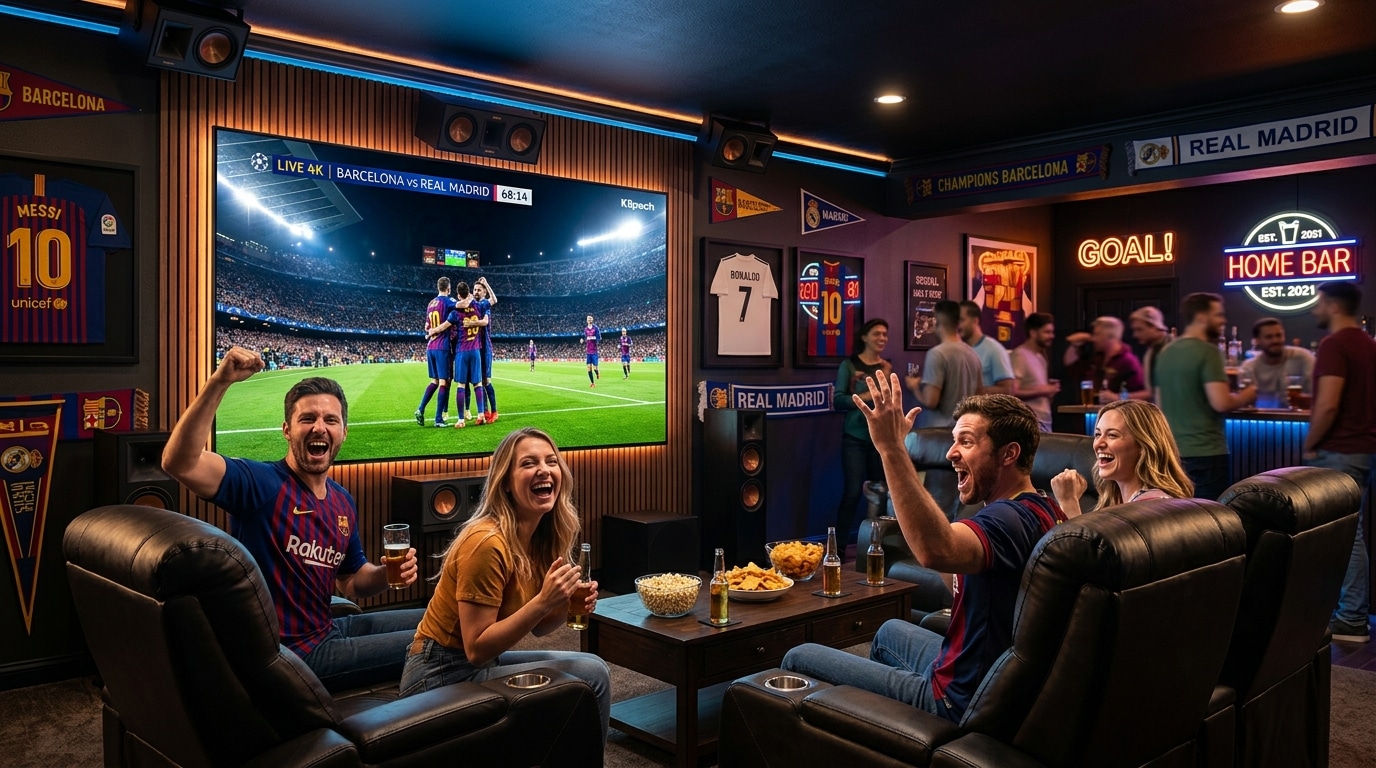
Live sports broadcasting represents the ultimate crucible for any digital entertainment system. While streaming a scripted drama or recorded film is technically forgiving—allowing video players to quietly buffer thirty to sixty seconds of content in advance—live sports occurs in real time.
Every penalty kick, buzzer-beating three-pointer, Hail Mary touchdown pass, and high-speed Formula 1 overtake demands razor-sharp visual clarity, locked broadcast frame rates, accurate multi-channel audio, and sub-second network packet delivery.
Nothing in home entertainment is more infuriating than watching your favorite football club launch a counterattack in the eighty-ninth minute, only for your screen to freeze on a spinning loading buffer.
Even worse is hearing your next-door neighbor erupt in celebration while your delayed, unoptimized stream is still thirty seconds behind real-time stadium action.
Achieving a true broadcast-grade sports viewing experience requires a holistic, end-to-end approach. You cannot simply purchase a subscription from a random online reseller, run it over congested Wi-Fi on a budget television set, and expect flawless 4K sports.
A high-performance sports setup requires five synchronized elements:
- An Enterprise-Grade Broadcast Provider: Utilizing dedicated high-bitrate downlinks, low-latency CDNs, and proactive anti-freeze load balancing.
- Flagship Streaming Hardware: Possessing dedicated GPU hardware decoders capable of rendering continuous 60 FPS video without thermal throttling.
- Optimized Player Software: Configured with Auto Frame Rate (AFR) matching, short playback buffers, and multi-view capabilities.
- A Low-Latency Home Network Topology: Hardwired with Cat6 Ethernet or clean 5.0 GHz Wi-Fi to eliminate jitter and packet loss.
- Calibrated Television Display Settings: Tuned to eliminate artificial motion smoothing artifacts and preserve authentic arena colors.
When these five elements work in harmony, Reflexsat IPTV delivers a sports streaming environment that rivals—and frequently surpasses—traditional satellite and cable television.
This definitive technical blueprint walks you through every component required to engineer the ultimate live sports command center in 2026.
Experience Reflexsat IPTV
Upgrade your streaming with satellite-grade, anti-freeze 10.0 infrastructure. Over 50,000 live channels, 4K 60FPS sports, and 200,000+ VODs.
Quick Summary: The 5 Golden Rules of Sports IPTV
Before dissecting hardware and network configurations in detail, commit these five foundational rules to memory:
+-----------------------------------------------------------------------------------+
|                        THE 5 GOLDEN RULES OF SPORTS STREAMING                     |
+-----------------------------------------------------------------------------------+
| 1. The 60 FPS Mandate      | Never watch sports at 30 FPS. High-speed ball and    |
|                            | player tracking requires true 50 or 60 frames/sec.   |
| 2. Wired Ethernet Priority | Wi-Fi causes packet jitter. Always connect streaming |
|                            | devices via Cat6 Ethernet or MoCA 2.5 coaxial links. |
| 3. Auto Frame Rate (AFR)   | Match display refresh rate to the broadcast signal:  |
|                            | 50Hz for European football; 60Hz for US sports.      |
| 4. Short Playback Buffer   | Keep player buffer at 1.0 to 2.0 seconds to minimize |
|                            | delay and prevent neighbor spoiler alerts.           |
| 5. Turn Off Motion Smoothing| Disable "Soap Opera Effect" TV processing to stop  |
|                            | digital ball ghosting and screen tearing.            |
+-----------------------------------------------------------------------------------+
The Technical Anatomy of Live Sports Video: Why Sports Differ from Cinema
To understand why generic video players struggle with live sports, you must understand how digital sports broadcasts differ fundamentally from standard entertainment media.
1. Temporal Resolution: The 24 FPS vs. 60 FPS Reality
Cinematic films are intentionally shot and mastered at 24 frames per second (23.976 FPS). This relatively low frame rate produces a natural motion blur that the human brain associates with cinematic storytelling.
Sports, however, are dominated by rapid, unpredictable, high-velocity physical motion:
- A soccer ball whipped into the penalty box travels at speeds exceeding 70 miles per hour.
- A basketball moves across multiple defensive zones in fractions of a second.
- A Formula 1 race car sweeps across camera arcs at 200 miles per hour.
+-----------------------------------------------------------------------------------+
|                  FRAME RATE COMPARISON: 30 FPS vs. 60 FPS                         |
+-----------------------------------------------------------------------------------+
| Metric                     | 30 FPS Broadcast             | 60 FPS Broadcast      |
+----------------------------+------------------------------+-----------------------+
| Images Displayed Per Second| 30 discrete images           | 60 discrete images    |
| Time Between Frames        | 33.3 milliseconds            | 16.6 milliseconds     |
| Fast-Moving Ball Motion    | Stuttering, strobing trail   | Continuous, sharp seam|
| Player Jersey Numbers      | Blurry during fast breaks    | Completely legible    |
| Eye Fatigue Over 90 Mins   | High (brain interpolates)    | Completely natural    |
+-----------------------------------------------------------------------------------+
When you watch live sports at 30 FPS, the 33.3-millisecond gap between frames causes fast-moving objects to "strobe" across the display panel. Low-cost IPTV providers often compress sports channels down to 30 FPS to save server bandwidth.
At Reflexsat IPTV, all dedicated sports channels stream at true 50.00 FPS (for UK and European football) or 59.94 / 60.00 FPS (for North American sports), delivering fluid broadcast realism.
2. High Spatial Complexity: The Grass & Confetti Problem
Digital video compression algorithms (such as H.264 and H.265/HEVC) save data by dividing frames into macroblocks and transmitting only the pixels that change between frames.
In a studio news broadcast, 80% of the screen (the background set) remains static, allowing the encoder to achieve high visual quality with minimal bitrate.
In a live football match, however:
- The entire field of view is filled with millions of individual, textured blades of grass.
- When the broadcast camera rapidly pans to follow a long clearance, every single blade of grass shifts positions simultaneously.
- Rapidly moving crowds, flashbulbs, and stadium lighting changes create immense data spikes.
If an IPTV provider caps a 1080p sports feed at an inadequate 4 or 5 Mbps bitrate, the video encoder runs out of data capacity during fast camera pans. The grass turns into a blurry, blocky mosaic of digital artifacts (macroblocking).
A true sports feed requires an uninterrupted 12 to 18 Mbps bitrate for 1080p 60 FPS, and 25 to 40 Mbps for 4K UHD.
The Streaming Hardware Tier List for Sports Enthusiasts
The finest video stream in the world will drop frames and buffer if decoded by an underpowered, overheating streaming stick with insufficient memory.
+-----------------------------------------------------------------------------------+
|                     SPORTS STREAMING HARDWARE TIER LIST (2026)                    |
+-----------------------------------------------------------------------------------+
| TIER 1: THE ELITE COMMAND CENTER (Flawless 4K 60FPS, Zero Lag, Gigabit Ethernet)  |
| - Apple TV 4K (3rd Gen, A15 Bionic, 128GB Ethernet Model)                         |
| - Nvidia Shield TV Pro (Tegra X1+, AI Upscaling, True Gigabit LAN)               |
+-----------------------------------------------------------------------------------+
| TIER 2: HIGH-PERFORMANCE WORKHORSES (Outstanding Value, Sideloading, Smooth 60FPS)|
| - Amazon Fire TV Stick 4K Max (2nd Gen, Wi-Fi 6E, 2GB RAM)                       |
| - Amazon Fire TV Cube (3rd Gen, Octa-Core Processor, Native LAN)                 |
| - Formuler Z11 Pro Max (Dedicated Android IPTV Set-Top Box with MYTVOnline 3)     |
+-----------------------------------------------------------------------------------+
| TIER 3: ENTRY-LEVEL (Acceptable for 1080p, May Struggle with 4K Multi-View)       |
| - Google Chromecast with Google TV (4K)                                           |
| - Xiaomi Mi Box S (2nd Gen)                                                       |
+-----------------------------------------------------------------------------------+
| TIER 4: AVOID FOR SERIOUS SPORTS (Frequent Crashes, Memory Leaks, 30 FPS Lock)    |
| - Amazon Fire TV Stick Lite / Standard HD (1GB RAM Bottleneck)                    |
| - Built-in Smart TV Apps (Samsung Tizen / LG webOS with low-spec processors)      |
| - Generic Unbranded "Allwinner" Android Boxes from discount marketplaces         |
+-----------------------------------------------------------------------------------+
1. Apple TV 4K (3rd Gen): The Smoothness Champion
If your primary goal is silky-smooth user interface navigation, instant channel zapping, and unmatched video decoding stability, the Apple TV 4K is the undisputed king. Powered by the A15 Bionic processor with 4GB of RAM, it renders 4K 60 FPS sports broadcasts without breaking a sweat. When paired with native tvOS players like Snappier or IPTVX, channel switching occurs in under a second. Read our dedicated Apple TV IPTV setup guide.
2. Nvidia Shield TV Pro: The Power User's Dream
For Android TV purists and home theater enthusiasts, the Nvidia Shield TV Pro remains legendary:
- Tegra X1+ Processor: Powerful enough to run TiviMate Premium with four simultaneous live sports feeds in Multi-View mode without dropping a single frame.
- AI-Enhanced Upscaling: Uses machine learning models trained on broadcast television to intelligently sharpen standard 1080p sports feeds into near-4K clarity on 65-inch and 75-inch screens.
- Lossless Audio Passthrough: Direct hardware passthrough for Dolby Atmos and DTS-HD Master Audio.
3. Amazon Fire TV Stick 4K Max: The Best Value Contender
For cord-cutters seeking elite performance on a modest budget, the Fire TV Stick 4K Max (2nd Gen) delivers remarkable capability:
- Quad-core 2.0 GHz processor and 2GB of RAM easily handle high-bitrate HEVC sports feeds.
- Full support for TiviMate, Auto Frame Rate matching, and Wi-Fi 6E. Follow our complete Firestick installation walkthrough.
Software Configuration: Tuning Your Player for Live Feeds
Installing the right hardware is only step one; you must configure your player software to eliminate motion judder and buffer latency.
+-----------------------------------------------------------------------------------+
|                  OPTIMAL SPORTS PLAYER SETTINGS (TIVIMATE / SNAPPIER)             |
+-----------------------------------------------------------------------------------+
| Setting                       | Recommended Sports Value | Why It Matters         |
+-------------------------------+--------------------------+------------------------+
| Video Decoder                 | Hardware / Hardware+     | Uses GPU; zero CPU lag |
| Auto Frame Rate (AFR)         | ON (Always)              | Matches 50Hz/60Hz panel|
| Playback Buffer Size          | Small (0.5s – 1.5s)      | Reduces real-time lag  |
| Stream Transport Format       | MPEG-TS (.ts)            | Instant packet delivery|
| Audio Passthrough             | Direct / Audio Passthrough| Pure stadium 5.1 sound |
| Multi-Screen PIP              | 2 to 4 Screens Enabled   | Multi-game monitoring  |
+-----------------------------------------------------------------------------------+
1. Activating Auto Frame Rate (AFR) Matching
Television screens typically refresh at 60 Hz (displaying 60 screen updates per second).
- When you watch American sports (NBA, NFL, MLB), the broadcast runs at 60.00 or 59.94 FPS. The refresh rates match perfectly, producing smooth motion.
- When you watch European sports (Premier League, Champions League, La Liga, Formula 1), the broadcast originates in the PAL format at 50.00 FPS.
If you force a 50 FPS video stream onto a 60 Hz display, your device must repeat every fifth frame to fill the timeline. This mathematical mismatch creates micro-stutter—a rhythmic, jarring hitch whenever the camera pans down the pitch.
How to Fix Motion Stutter:
- In TiviMate: Go to Settings > Playback > Auto Frame Rate (AFR) and toggle it to ON.
- On Apple TV 4K: Go to system Settings > Video and Audio > Match Content and set Match Frame Rate to ON.
- When you tune into a European football match, your television screen will briefly synchronize and switch its physical panel to 50 Hz, resulting in buttery-smooth camera movement.
2. Calibrating Playback Buffer Size for Sports
Many users set their player buffer to "Large" (5 to 10 seconds), assuming this prevents buffering.
While a large buffer helps smooth out erratic mobile internet connections, its devastating drawback for sports fans is latency to real-time action:
- If your player is buffering 8 seconds of video, and your provider's server has a 10-second ingest delay, you are watching the match nearly twenty seconds behind live action.
- Your phone will vibrate with a goal alert notification, or you will hear your neighborhood shout, long before the striker even takes the shot on your screen!
The Golden Buffer Rule:
- If connected via a stable wired Ethernet cable, set your player buffer to None or Small (1.0 to 1.5 seconds).
- You will watch the action as close to real-time stadium downlinks as technically possible.
Building the Zero-Buffering Home Network Topology
Nothing causes live sports to freeze faster than an unstable home Wi-Fi network. Remember: bandwidth is not stability. Paying for a 500 Mbps internet package does not protect you from wireless packet loss.
+-----------------------------------------------------------------------------------+
|               OPTIMAL HOME NETWORK TOPOLOGY FOR LIVE SPORTS                       |
+-----------------------------------------------------------------------------------+
|  [ Fiber / Cable ONT Modem ]                                                      |
|           |                                                                       |
|  [ High-Performance Wi-Fi 6 Router ] with Smart Queue Management (SQM QoS)         |
|           |                                                                       |
|           +--- Cat6 Direct Cable ---> [ Living Room Shield / Apple TV ] (PRIORITY)|
|           |                                                                       |
|           +--- MoCA 2.5 Adapter ----> [ Coaxial Wall Jack ] -> [ Bedroom TV Box ] |
|           |                                                                       |
|           + - - 5.0 GHz Wi-Fi - - - > [ Mobile Devices / Laptops ] (LOWER PRIORITY)|
+-----------------------------------------------------------------------------------+
1. Hardwire Every Television with Cat6 Ethernet
Wi-Fi is a shared radio frequency medium. Every smartphone, laptop, tablet, and smart speaker in your home competes for wireless transmission airtime.
When a family member opens an app or downloads a file, wireless packet contention introduces micro-latency spikes (jitter) that will instantly freeze a high-bitrate 60 FPS sports stream.
A physical Cat6 Ethernet cable is 100% immune to electromagnetic interference, wall density, and channel congestion. It guarantees 0.0% packet loss and rock-solid sub-millisecond local latency.
2. The MoCA 2.5 Coaxial Breakthrough
If your television is located in a room where running a physical Ethernet cable through drywall is impossible, look for a coaxial cable wall jack (the circular screw-on jack used for legacy cable TV).
Using MoCA 2.5 (Multimedia over Coax) adapters:
- You plug one MoCA adapter into your router and a coaxial wall port.
- You plug a second MoCA adapter into the coaxial port behind your television.
- The adapters transform your home's existing coaxial wiring into a true 2.5 Gigabit wired Ethernet network, giving you wired stability without drilling holes!
3. Eliminate Bufferbloat with Router Quality of Service (QoS)
When multiple people in your household use the internet simultaneously, your router's packet buffers can become congested—a phenomenon known as bufferbloat.
Log in to your router's administration dashboard and enable Smart Queue Management (SQM) or Quality of Service (QoS):
- Assign the IP address of your primary sports streaming device to the Highest Priority traffic tier.
- When an intense sports match is playing, your router automatically prioritizes incoming video packets over background downloads, gaming updates, and social media traffic.
Test your network's real-time latency and packet loss using our IPTV internet speed and bandwidth guide.
Television Display Calibration: Optimizing OLED and QLED for Sports
Modern high-end televisions ship from the factory with aggressive digital processing filters that ruin live sports broadcasts:
+-----------------------------------------------------------------------------------+
|               OPTIMAL TELEVISION PICTURE SETTINGS FOR SPORTS                      |
+-----------------------------------------------------------------------------------+
| TV Picture Setting            | Recommended Value | Technical Rationale           |
+-------------------------------+-------------------+-------------------------------+
| Picture Mode / Preset         | Cinema / Movie    | Accurate D65 color calibration|
| Motion Smoothing / TruMotion  | OFF (or De-Blur 2)| Stops ball ghosting & tearing |
| Black Frame Insertion (BFI)   | Low / Medium      | Clears retinal motion blur    |
| Sharpness Slider              | 0 (or Minimal <10)| Eliminates halo edges on grass|
| Color Temperature             | Warm 50 (Warm 2)  | Authentic stadium pitch green |
| Dynamic Contrast              | OFF               | Preserves stadium shadow depth|
+-----------------------------------------------------------------------------------+
1. Turn Off Motion Interpolation ("The Soap Opera Effect")
Television manufacturers market motion smoothing under various proprietary names: TruMotion (LG), Auto Motion Plus (Samsung), or Motionflow (Sony).
These systems attempt to create fake intermediate frames. While this may look tolerable on slow-moving cinematic drama, digital processors cannot calculate the rapid, erratic velocity of a soccer ball or basketball.
During a fast cross or long goal kick, the motion processor glitches, causing the ball to flicker, tear, or completely disappear in mid-air.
Action Step: Set Motion Interpolation to OFF, or configure a custom profile with De-Judder set to 0 and De-Blur set to 2. Allow the stream's native 60 FPS frames to render naturally.
2. Calibrate Color Temperature and Sharpness
Factory "Sports Modes" artificially blast color temperatures to an icy blue hue (9000K+) and crank sharpness to maximum. This makes grass look like radioactive neon carpet and introduces white halo ringing around player jerseys.
Action Step:
- Switch your picture preset to Cinema, Movie, or Expert.
- Set Color Temperature to Warm 50 (Warm 2) to achieve the accurate 6500K broadcast standard.
- Reduce the Sharpness control down to 0 (or under 10) to reveal clean, natural broadcast detail without edge ringing.
Stadium Sound Immersion: Dolby Digital 5.1 Multi-Channel Audio
Visual fidelity is only half of the live sports experience; immersive sound creates the psychological sensation of actually sitting in the stadium stands.
Low-tier IPTV resellers transcode audio down to low-bitrate stereo AAC, crushing the acoustic dynamics of the arena. High-grade broadcast feeds from Reflexsat IPTV preserve uncompressed Dolby Digital (AC3 / E-AC3 5.1) audio:
+-----------------------------------------------------------------------------------+
|                     DOLBY DIGITAL 5.1 SPORTS SOUND ARCHITECTURE                   |
+-----------------------------------------------------------------------------------+
|  [ Left Front ]           [ Center Speaker ]           [ Right Front ]            |
|  Arena PA / Stadium Microphones    Commentary Announcers       Arena PA / Stadium |
|                                                                                   |
|                                [ Subwoofer ]                                      |
|                             Drum Beats & Impact Bass                              |
|                                                                                   |
|  [ Left Surround ]                                     [ Right Surround ]         |
|  Roving Crowd Chants                                   Ultras Chanting & Acoustics|
+-----------------------------------------------------------------------------------+
Audio Configuration Checklist:
- Connect your streaming box directly to an eARC-compatible soundbar or A/V receiver using a certified high-speed HDMI cable.
- In your player settings (TiviMate or Snappier), set Audio Output to Audio Passthrough (or Direct).
- In your streaming box system settings, verify that Surround Sound is set to Best Available or Dolby Digital Plus.
- The center channel speaker isolates play-by-play commentary, ensuring spoken words remain crystal-clear even as crowd noise roars through your surround speakers.
The Master Sports Coverage Blueprint: What to Watch on Reflexsat
A premier sports setup deserves unlimited, unrestricted access to the world’s greatest sporting competitions. With Reflexsat IPTV, you have front-row access to every major sports package on the globe:
- Football (Soccer): Every single match of the English Premier League (including Saturday 3:00 PM UK blackout feeds), UEFA Champions League, Europa League, La Liga, Serie A, Bundesliga, Ligue 1, MLS Season Pass, and international tournaments.
- American Sports: All 82 games per team of the NBA season (both Home and Away feeds), NFL Sunday Ticket, NFL RedZone, MLB Extra Innings, and NHL Center Ice. (Explore our comprehensive NBA streaming guide).
- Motorsports: Complete Formula 1 race weekends in pristine 50/60 FPS, MotoGP, NASCAR, and IndyCar with dedicated pit-lane and onboard camera feeds.
- Combat Sports: Every UFC numbered Pay-Per-View, UFC Fight Nights, championship boxing, and WWE events in full high-definition with zero pay-per-view surcharges.
Sport-by-Sport Technical Configuration Matrix
Different athletic disciplines impose distinct visual and acoustic demands on your streaming setup. Use this sport-specific calibration matrix to optimize your player and display:
+-----------------------------------------------------------------------------------+
|                     SPORT-BY-SPORT CALIBRATION MATRIX (2026)                      |
+-----------------------------------------------------------------------------------+
| Sport Discipline       | Target Frame Rate | Display Panel Refresh | Motion Setting  |
+------------------------+-------------------+-----------------------+-----------------+
| European Football      | 50.00 FPS (PAL)   | 50 Hz / 100 Hz Native | De-Blur 2 / AFR |
| American Football (NFL)| 59.94 / 60.00 FPS | 60 Hz / 120 Hz Native | Black Frame Ins.|
| Basketball (NBA)       | 60.00 FPS (NTSC)  | 60 Hz Native          | AFR On / 0 Judder|
| Formula 1 Motorsports  | 50.00 / 60.00 FPS | 60 Hz / 120 Hz        | Max Contrast    |
| Tennis & Golf          | 50.00 / 60.00 FPS | 60 Hz Native          | Zero Smoothing  |
| UFC & Combat Sports    | 59.94 / 60.00 FPS | 60 Hz Native          | Game / Low Lag  |
+-----------------------------------------------------------------------------------+
1. European Football (Premier League, Champions League, La Liga)
- The Frame Rate Rule: European football feeds originate from PAL production switchers running at 50.00 frames per second.
- The Optimization: Ensure your player’s Auto Frame Rate (AFR) switches your television display to 50 Hz. Watching a 50 FPS broadcast on a 60 Hz panel creates micro-judder every 5 seconds.
- Audio Mix: Set audio to Dolby 5.1 surround to isolate crowd singing and referee whistles to your rear channels while centering play-by-play commentary.
2. American Football (NFL & College Football)
- The Frame Rate Rule: Telecasts originate at 59.94 or 60.00 FPS.
- The Optimization: Fast camera pans downfield during deep spiral passes require high spatial bitrate. Select feeds labeled "FHD 60FPS" or "4K VIP" in your Reflexsat playlist to prevent turf pixelation.
- Display Tip: Enable Black Frame Insertion (BFI) to keep jersey numbers razor-sharp as defensive backs sprint across the screen.
3. Formula 1 & Motorsports
- The Frame Rate Rule: High-velocity cars moving at 200+ mph require maximum temporal clarity.
- The Optimization: Look for dedicated multi-channel coverage in your playlist (such as pit-lane timing screens and onboard driver cameras) and utilize TiviMate Multi-View to display the main international feed alongside your favorite driver’s cockpit camera.
4. Tennis and Golf (High-Contrast Ball Tracking)
- The Challenge: Following a tiny, high-velocity neon-yellow tennis ball or white golf ball against textured green backgrounds.
- The Optimization: Turn TV digital sharpness down to 0. High sharpness controls add artificial white halo rings around the ball, making it appear to jump or strobe in mid-air.
The "Game Day Checklist": 10 Steps to Execute 30 Minutes Before Kickoff
To ensure that you never experience technical headaches during live game action, execute this systematic pre-game routine thirty minutes before the match begins:
+-----------------------------------------------------------------------------------+
|                        THE 30-MINUTE PRE-GAME PROTOCOL                            |
+-----------------------------------------------------------------------------------+
| [ T-30 Mins ] Reboot Streaming Box & Router --> Clears memory caches & fresh DNS  |
| [ T-25 Mins ] Test Downstream Bandwidth    --> Confirm > 25 Mbps & < 5ms jitter   |
| [ T-20 Mins ] Verify Active EPG Schedule   --> Confirm match kickoff timestamp    |
| [ T-15 Mins ] Locate Primary & Backup Feeds--> Save Home, Away & 4K feeds to Favs |
| [ T-10 Mins ] Calibrate Surround Audio     --> Confirm 5.1 passthrough to soundbar|
| [ T-05 Mins ] Configure Multi-View Grid    --> Set secondary match screens        |
| [ Kickoff   ] Sit back, relax, and enjoy flawless, uncompromised 60 FPS sports!   |
+-----------------------------------------------------------------------------------+
- Power Cycle Your Streaming Hardware: A quick system reboot takes 45 seconds and flushes volatile RAM buffers, clearing lingering background processes.
- Verify Cable Integrity: Confirm your Cat6 Ethernet cable is firmly seated in the adapter or port.
- Check Cloudflare Ping: Run a quick network benchmark to ensure local latency is under 35ms with 0.0% packet loss.
- Locate Your Backup Feed: High-grade services like Reflexsat provide multiple stream sources for major matches. Add both the primary feed and the secondary backup feed to your "Favorites" list so you can toggle instantly if a local satellite downlink encounters transponder maintenance.
- Calibrate Audio Sync: If you notice commentary lagging behind video, use your player's audio delay slider to synchronize speech with visual foot strikes.
Advanced Audio Tuning: Dialog Clarity vs. Stadium Roar
Many sports fans struggle with audio balancing: the stadium crowd and arena music are deafeningly loud, but the play-by-play commentators are muffled and hard to hear.
How to Fix Commentary Audibility:
- Boost the Center Audio Channel: In your A/V receiver or soundbar settings, increase the Center Channel Gain by +2 to +4 dB. Broadcast audio engineers route 95% of human speech directly to the center channel; boosting it ensures dialogue cuts through crowd roar without raising the master volume.
- Disable "Night Mode" / Dynamic Compression: Night Mode compresses acoustic dynamic range, squashing the sudden impact of a thunderous goal roar. Turn Night Mode to OFF for an authentic stadium experience.
- Enable Speech Enhancement: Modern soundbars (such as Sonos, Bose, or Samsung) feature dedicated "Voice Clarity" or "Dialog Enhancement" DSP modes that isolate spoken vocal frequencies (1 kHz to 4 kHz) without altering arena sound.
Troubleshooting Live Sports Streaming Glitches
When a live game is on the line, use this rapid diagnostic guide to resolve hiccups instantly:
1. The Stream Freezes or Stutters Repeatedly
- Immediate Fix: In TiviMate, press the Select button, open the stream options menu, and switch to the Backup feed or Alternative Away broadcast.
- Underlying Fix: In player settings, slightly increase the Buffer Size from Small to Normal (2-3 seconds) to absorb momentary upstream transit jitter.
2. Picture Looks Blurry or Artifacted During Rapid Motion
- Immediate Fix: Check your stream statistics to confirm that you are tuned into a true 60 FPS or 50 FPS channel rather than a secondary 30 FPS feed. Look for channels tagged with "FHD 60FPS" or "4K VIP" in your Reflexsat playlist.
3. Screen Goes Pitch Black While Sound Continues
- Immediate Fix: Your hardware video decoder has crashed while negotiating a codec handshake. Switch your player’s Video Decoder from "Hardware" to "Software" or "VLC Core". For a comprehensive guide, read our walkthrough on fixing IPTV black screens with sound.
Frequently Asked Questions
Final Recommendation: Build Your Ultimate Sports Command Center
True sports passion deserves an uncompromised viewing setup. You should never be forced to endure buffering loading wheels during stoppage time, blurry 30 FPS motion, or the frustration of missing out on games due to regional blackout restrictions.
By building your setup on the five proven pillars:
- The Apple TV 4K or Nvidia Shield TV Pro
- TiviMate or Snappier with Auto Frame Rate matching
- A hardwired Cat6 Ethernet or MoCA 2.5 network topology
- Calibrated television display and Dolby surround audio
- The enterprise broadcast backbone of Reflexsat IPTV
You transform your living room into an authentic stadium experience that streams with absolute stability on game night.
At Reflexsat IPTV, our entire infrastructure is built by sports fans, for sports fans. Featuring Anti-Freeze 10.0 load-balanced servers, true 60 FPS high-bitrate feeds, dedicated Home and Away broadcasts, and 24/7 VIP assistance on WhatsApp, we deliver the premier sports streaming service in the industry.
Select your subscription package today on our pricing page, check our comprehensive channel catalog, or reach out on our live support desk to request your free 24-hour game day trial today!