The Best IPTV Players in 2026: Comprehensive Performance, Codec & Setup Review
When transitioning to internet protocol television, one of the most common points of confusion for newcomers is the fundamental difference between an IPTV Service and an IPTV Player.
An IPTV service (such as Reflexsat IPTV) is the broadcaster that supplies the streaming infrastructure, live television channels, satellite downlinks, electronic program guide feeds, and video-on-demand libraries.
An IPTV player, by contrast, is the client-side software application installed on your streaming hardware—such as an Amazon Firestick, Apple TV 4K, Nvidia Shield, Smart TV, or Android smartphone—that receives those digital video streams, decodes the audio and video packets, and renders them onto your television screen.
The IPTV player you choose has a dramatic, direct impact on your daily television experience. Even the most dependable, high-bitrate streaming service in the world will feel clunky, unresponsive, and unstable if paired with a poorly coded media player that leaks memory, drops frames during camera pans, or takes five seconds to open the channel guide.
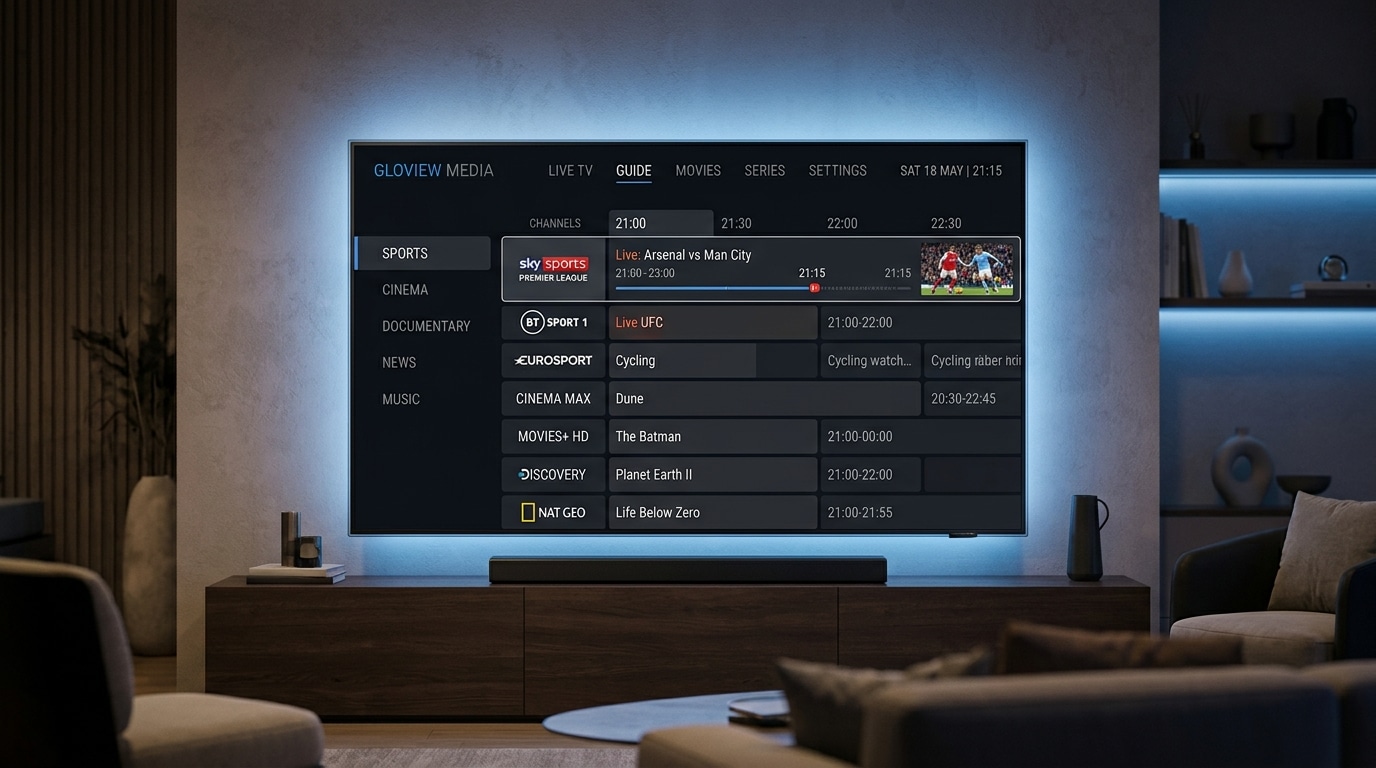
Conversely, an optimized, modern IPTV player delivers instant channel zapping, smooth 60 FPS sports playback, an intuitive cable-like electronic program guide (EPG), multi-screen picture-in-picture viewing, and local recording capabilities.
This guide provides an exhaustive, real-world evaluation of the top IPTV player applications available in 2026. We test and benchmark the leading players across Android TV, Fire OS, tvOS, Windows, and Smart TV operating systems, examining decoding engines, user interface design, codec compatibility, and advanced feature sets.
Experience Reflexsat IPTV
Upgrade your streaming with satellite-grade, anti-freeze 10.0 infrastructure. Over 50,000 live channels, 4K 60FPS sports, and 200,000+ VODs.
Quick Summary: The Top IPTV Players at a Glance
If you are looking for an immediate recommendation based on your specific hardware, here is our tested shortlist:
- Best Overall for Firestick and Android TV: TiviMate IPTV Player (Unmatched cable-like EPG, instant zapping, flawless multi-screen, and customizable recording).
- Best Universal Multi-Platform App: IPTV Smarters Pro (Works on Android, iOS, Windows, Mac, LG webOS, and Samsung Tizen with simple setup).
- Best Alternative with Dual Decoders: XCIPTV Player (Clean modern dashboard, built-in ExoPlayer and VLC engines, excellent backup capabilities).
- Best for Cloud Sync & Advanced UI: iMPlayer (Cloud-managed playlists, modern glassmorphism interface, and remote management features).
- Best for Deep Technical Tweaking: OTT Navigator (Granular network buffering controls, custom codecs, and adaptive bitrate tracking).
- Best for Low-Spec / Budget Hardware: Televizo (Ultra-lightweight footprint, minimal RAM usage, ideal for older streaming sticks).
- Best Native Player for Apple TV 4K: Snappier / IPTVX (Fluid tvOS design, native Apple A15 Bionic hardware acceleration, and iCloud playlist syncing).
- Best for Smart TVs without Android: IBO Player (Reliable portal activation for LG webOS and Samsung Tizen screens).
The Core Technical Criteria: What Makes an IPTV Player Great?
Not all video players are engineered equally. Under the hood, an IPTV application must continuously handle complex computational tasks: parsing thousands of playlist items, downloading multi-megabyte XMLTV program guides, synchronizing audio and video clocks, and demuxing live transport streams (TS or HLS) in real time.
When evaluating any player application, examine these six technical pillars:
+-------------------------------------------------------------------------+
|                  IPTV PLAYER TECHNICAL EVALUATION CRITERIA              |
+-------------------------------------------------------------------------+
| 1. Video Decoding Engine  | Hardware vs. Software (ExoPlayer vs. VLC)   |
| 2. Auto Frame Rate (AFR)  | Eliminates 24p / 50p / 60p motion judder    |
| 3. Buffer Customization   | Small / Medium / Large buffer preloading    |
| 4. EPG Parsing & Caching  | Background XMLTV database indexing          |
| 5. Multi-Screen & PIP     | Simultaneous playback of 2 to 4 streams     |
| 6. Playlist Protocol      | Native Xtream Codes API database queries    |
+-------------------------------------------------------------------------+
1. The Video Decoding Engine: ExoPlayer vs. VLC
At the heart of every IPTV player sits its media rendering engine. Most modern Android applications rely on one of two primary frameworks:
- Google ExoPlayer: The default Android application-level media player. ExoPlayer communicates directly with Android's native
MediaCodechardware decoders. It delivers lightning-fast channel zapping, minimal battery and CPU usage, and outstanding support for H.264 (AVC) and H.265 (HEVC) streams. - VLC / libVLC Core: A battle-tested open-source decoding framework. While slightly slower when initializing streams than ExoPlayer, VLC features unmatched compatibility with legacy video formats, obscure audio codecs (such as AC3, E-AC3, DTS, and TrueHD), and multi-channel audio passthrough.
The premier IPTV players allow users to toggle between ExoPlayer and VLC depending on the specific stream format, or assign specific decoders per channel.
2. Auto Frame Rate (AFR) Matching
Television broadcasts are filmed and transmitted at different refresh rates depending on their country of origin and content type:
- European / UK Television: Transmitted at 50 Hz (50.00 FPS).
- North American Television & Live Sports: Transmitted at 59.94 Hz or 60 Hz (60.00 FPS).
- Movies & High-End Dramatic Series: Filmed at 23.976 Hz or 24 Hz (24.00 FPS).
Most streaming devices default to a static 60 Hz display output. When you watch a 50 Hz European football feed on a 60 Hz display, your device must perform a mathematical frame conversion called 3:2 pulldown. This mismatch creates micro-stutters and motion judder whenever the camera pans across the pitch.
Top-tier players like TiviMate feature native Auto Frame Rate (AFR) switching. When you tune into a 50 FPS channel, the player temporarily switches your television's HDMI refresh rate to 50 Hz. When you switch to a 60 FPS sports feed, it dynamically shifts the display to 60 Hz. The result is completely fluid, broadcast-grade motion.
3. Buffer Size Customization
Network conditions fluctuate. An exceptional IPTV player provides configurable playback buffer settings:
- No Buffer / Minimum Buffer (0.5s): Video renders almost instantaneously upon pressing the channel button. Ideal for rock-solid wired Ethernet connections.
- Medium Buffer (2s – 3s): The recommended balance for most households, providing enough video cushion to absorb minor Wi-Fi jitter without noticeably delaying channel changes.
- Large Buffer (5s – 10s): Essential for unstable cellular or wireless connections, ensuring uninterrupted playback even during momentary internet dips.
Read our in-depth diagnostic guide on optimizing internet speeds for IPTV to determine the best buffer size for your network.
4. Electronic Program Guide (EPG) Handling
A poorly coded player stores its program guide directly in volatile device memory. Every time you launch the application, it redownloads a 40MB XML file, freezing your streaming stick for thirty seconds.
High-grade players utilize embedded SQLite databases on the device storage. They download program schedules silently in the background, cache the data locally, and map channel metadata instantaneously. This allows you to scroll through hundreds of channels with zero lag.
The 10 Best IPTV Players of 2026: Detailed In-Depth Reviews
We evaluated dozens of applications on the market, testing them across Amazon Fire TV Stick 4K Max, Nvidia Shield TV Pro, Apple TV 4K, Samsung Tizen, LG webOS, and Android mobile devices. Here are the definitive top ten performers.
1. TiviMate IPTV Player — The Undisputed King for Android TV & Firestick
If you are using any streaming device powered by Android TV, Google TV, or Amazon Fire OS, TiviMate is the absolute gold standard by which all other IPTV players are measured. Developed specifically for television screens and remote control navigation, TiviMate looks and feels like a multi-thousand-dollar digital cable set-top box.
+-------------------------------------------------------------------------+
|                         TIVIMATE PERFORMANCE PROFILE                   |
+-------------------------------------------------------------------------+
| Supported OS: Android TV, Google TV, Fire OS (Firestick / Cube)         |
| Primary Engine: Google ExoPlayer + Native Hardware Acceleration         |
| Playlist Formats: Xtream Codes API, M3U Playlist, Stalker Portal        |
| Standout Features: Best EPG timeline, Multi-View (up to 9 screens),     |
|                    Local recording (USB/SMB NAS), Auto Frame Rate (AFR)  |
| Pricing: Free basic version; ~$10/year or ~$35 lifetime for Premium      |
+-------------------------------------------------------------------------+
Why TiviMate Dominates the Competition:
- Unrivaled Program Guide (EPG): TiviMate's EPG is exceptionally responsive. You can browse current and upcoming programming across dozens of categories with zero stutter. It supports multiple simultaneous EPG sources, manual channel-to-guide offset mapping, and past program catch-up timelines.
- Multi-View Picture-in-Picture: During major sports days, TiviMate allows you to watch up to four (and on powerful devices like the Nvidia Shield, up to nine) channels simultaneously on a single screen. You can cycle audio between feeds with a single remote click.
- Integrated DVR / Recording: You can schedule live recordings in advance or record the active program directly to your device's internal storage, an external USB flash drive, or a local Network Attached Storage (NAS) share using SMB.
- Customizable Interface: You can reorder channel groups, hide bouquets you never watch, create customized "Favorites" lists combining international sports feeds, and adjust font sizes, color palettes, and transparency levels.
Limitations to Consider:
- TiviMate is designed exclusively for television interfaces; there is no native iOS, Apple TV, or Windows version.
- Premium features require purchasing a subscription via the Google Play Store (or the TiviMate Companion app on Android mobile).
Verdict: If your streaming hardware runs Android TV or Fire OS, TiviMate Premium is worth every penny. It pairs flawlessly with Reflexsat IPTV credentials. Follow our Firestick setup guide for step-by-step installation instructions.
2. IPTV Smarters Pro — The Best Cross-Platform Universal Solution
For households with a diverse mix of devices—such as an iPhone in the bedroom, an LG OLED smart TV in the living room, a Firestick in the guest room, and a Windows laptop in the office—IPTV Smarters Pro is the most versatile player available.
+-------------------------------------------------------------------------+
|                       IPTV SMARTERS PRO PROFILE                         |
+-------------------------------------------------------------------------+
| Supported OS: Android, iOS, tvOS, Windows, macOS, Samsung Tizen, webOS  |
| Primary Engine: Built-in ExoPlayer + External Player Integration        |
| Playlist Formats: Xtream Codes API (Primary), M3U Playlist              |
| Standout Features: Master search, VOD episode tracking, parental control|
| Pricing: Free version available; optional one-time Pro upgrade           |
+-------------------------------------------------------------------------+
Key Strengths:
- Universal Availability: Smarters Pro is available across almost every operating system, including native downloads on the Apple App Store, Google Play, Samsung Smart Hub, and LG Content Store.
- Clean VOD Dashboard: Smarters excels at organizing Video on Demand. Television series are neatly nested with season selectors, episode descriptions, progress trackers, and "Next Episode" auto-play prompts.
- Master Search Bar: You can quickly search across live channels, on-demand movies, and television series from a single global search field.
- External Player Support: If a specific channel format encounters video decoding issues, Smarters allows you to route playback through external players like VLC or MX Player with a single toggle.
Weaknesses:
- The live television EPG interface feels less modern and fluid compared to TiviMate's dedicated grid.
- The interface is oriented around dashboard tiles rather than traditional cable-style channel zapping.
Verdict: The premier choice for households requiring a single, unified player that runs on every screen and operating system without compatibility headaches.
3. XCIPTV Player — Feature-Rich Android Customization
Developed by OTTRUN, XCIPTV Player is another heavyweight Android TV and Firestick application that has gained massive popularity as a dependable daily driver.
+-------------------------------------------------------------------------+
|                          XCIPTV PLAYER PROFILE                          |
+-------------------------------------------------------------------------+
| Supported OS: Android TV, Google TV, Fire OS, Android Mobile            |
| Primary Engine: Dual Engine (ExoPlayer + VLC Player built-in)           |
| Playlist Formats: Xtream Codes API, M3U Playlist                        |
| Standout Features: Dual-player core toggle, speed test utility, backups |
| Pricing: Free ad-supported version; paid ad-free version                |
+-------------------------------------------------------------------------+
Key Strengths:
- Dual Built-in Player Engines: XCIPTV includes both ExoPlayer and VLC embedded directly into the application. If a high-bitrate live stream freezes on ExoPlayer, you can switch the channel engine to VLC within seconds without leaving the app.
- Built-in Network Speed Test: Test your real-time connection speed directly to media streaming servers right from the settings menu.
- Customizable Home Dashboard: Users can select between multiple home screen UI templates, adjusting which categories, favorites, and recent channels appear on boot.
- Account Backup & Restore: Export your configured playlists, favorites, and parental locks to local storage or cloud files for quick deployment across multiple television sets.
Weaknesses:
- Channel switching speed is slightly slower than TiviMate on entry-level streaming hardware.
- The default remote control key mappings can feel unintuitive on certain third-party remotes.
Verdict: An outstanding, highly capable alternative to TiviMate for Android and Firestick users who appreciate a modern dashboard layout with built-in VLC engine fallbacks.
4. iMPlayer IPTV — Cloud-Synced Modern Powerhouse
For viewers seeking a cutting-edge, visually stunning interface reminiscent of modern streaming platforms like Apple TV+ or Hulu, iMPlayer has emerged as a premier contender.
+-------------------------------------------------------------------------+
|                          iMPLAYER IPTV PROFILE                          |
+-------------------------------------------------------------------------+
| Supported OS: Android TV, Google TV, Fire OS, Android Mobile            |
| Primary Engine: Advanced ExoPlayer implementation                       |
| Standout Features: Cloud management dashboard, modern UI, catch-up TV   |
| Pricing: Free basic tier; premium subscription or lifetime license      |
+-------------------------------------------------------------------------+
Key Strengths:
- Cloud Dashboard Management: You can manage your playlists, parental locks, channel favorites, and settings remotely via a web browser on your computer. Changes push to all your connected TV boxes automatically.
- Stunning Visual Presentation: Features smooth animations, translucent glassmorphism menus, rich poster artwork, and high-resolution channel logos.
- Seamless Catch-Up Navigation: iMPlayer provides one of the smoothest catch-up TV implementations in the industry, making it effortless to scroll back in time and replay shows that aired earlier in the week.
Weaknesses:
- Requires higher hardware specifications (such as a Fire TV Stick 4K Max or Nvidia Shield) to render its rich graphical interface smoothly without stutter.
- Setup can feel complex for casual non-technical users.
Verdict: The ultimate choice for power users who manage multiple television sets and demand a gorgeous, modern interface with centralized cloud synchronization.
5. OTT Navigator IPTV — The Ultimate Diagnostic & Tweaking Client
If you are a technical power user who loves fine-tuning network buffers, configuring custom user-agent headers, and adjusting hardware decoders down to the millisecond, OTT Navigator is the most feature-dense application available.
+-------------------------------------------------------------------------+
|                        OTT NAVIGATOR IPTV PROFILE                       |
+-------------------------------------------------------------------------+
| Supported OS: Android TV, Fire OS, Android Smartphones & Tablets        |
| Standout Features: Deep codec customization, automated stream filters   |
| Pricing: Free with limited features; paid Pro upgrade                   |
+-------------------------------------------------------------------------+
Key Strengths:
- Granular Network Controls: Configure specific TCP read timeouts, socket buffer sizes, stream pre-caching limits, and HTTP proxy parameters to overcome stubborn local ISP routing bottlenecks.
- Automated Channel Grouping: OTT Navigator can automatically merge duplicate channels across different server sources, automatically selecting the highest-resolution feed available.
- Picture-in-Picture & Background Audio: Continue listening to live news or sports commentary in the background while browsing other applications on your device.
Weaknesses:
- The settings menu contains hundreds of nested options that can be overwhelming for non-technical users.
- The out-of-the-box user interface feels utilitarian compared to TiviMate or iMPlayer.
Verdict: A technical masterpiece for users experiencing stubborn network buffering issues who need deep diagnostic control over video stream handling.
6. Televizo — Ultra-Lightweight Speed for Budget Hardware
Not everyone owns a $200 Nvidia Shield TV or a high-end streaming box. If you are running IPTV on an older Firestick Lite, a budget Android TV stick with only 1GB of RAM, or an inexpensive smart TV, heavier apps can cause severe lag and crashes. Televizo was designed specifically to solve this problem.
+-------------------------------------------------------------------------+
|                            TELEVIZO PROFILE                             |
+-------------------------------------------------------------------------+
| Supported OS: Android TV, Google TV, Fire OS, Android Mobile            |
| Standout Features: Tiny storage footprint, minimal RAM, instant boot    |
| Pricing: Free version (with subtle ads); inexpensive ad-free upgrade    |
+-------------------------------------------------------------------------+
Key Strengths:
- Incredible Efficiency: Televizo consumes less than 50MB of RAM during active playback, preventing low-spec hardware from running out of memory.
- Fast Channel Zapping: Stripped-down rendering code allows channels to load with near-zero software overhead.
- Clean, No-Nonsense Design: An intuitive, minimalist layout that elderly family members or casual viewers can understand within seconds.
Weaknesses:
- Lacks advanced features such as multi-screen PIP, local DVR recording, or cloud management.
- Basic VOD interface with limited metadata scraping.
Verdict: The undisputed champion for budget streaming sticks and low-memory Android devices that struggle to run heavier players.
7. Snappier & IPTVX — The Best Native Players for Apple TV 4K (tvOS)
Because Apple strictly enforces sandboxing and development standards on the tvOS App Store, Android staples like TiviMate cannot run on Apple hardware. However, Apple TV 4K owners have access to two world-class native players: Snappier and IPTVX.
+-------------------------------------------------------------------------+
|                    APPLE TV (tvOS) LEADERS: SNAPPIER & IPTVX             |
+-------------------------------------------------------------------------+
| Supported OS: tvOS (Apple TV 4K & Apple TV HD), iOS, iPadOS, macOS      |
| Hardware Power: Exploits Apple A15 Bionic GPU hardware decoders         |
| Standout Features: Apple design aesthetics, iCloud sync, fluid 60 FPS   |
| Pricing: Free trial; in-app purchase for full unlock                    |
+-------------------------------------------------------------------------+
Why Apple TV Users Love Them:
- Buttery-Smooth Navigation: Exploiting the immense processing power of Apple's A15 Bionic chip, Snappier and IPTVX render high-resolution channel artwork, silky 60 FPS transitions, and fluid scrolling with zero frame drops.
- Native Apple Ecosystem Integration: Playlists, favorite channels, and viewing history synchronize seamlessly across your Apple TV, iPhone, iPad, and Mac via encrypted iCloud syncing.
- Full Support for Apple Remote: Intuitive support for the Apple TV Siri Remote touch clickpad, allowing rapid scrub-bar scrubbing through catch-up streams and VOD files.
Explore our dedicated guide to setting up IPTV on Apple TV for complete step-by-step configuration instructions.
8. IBO Player — The Premier Choice for Samsung Tizen & LG webOS Smart TVs
If you do not own an external streaming box and prefer watching television through your Samsung or LG smart TV's built-in remote, your app options are constrained by proprietary manufacturer app stores. IBO Player has established itself as the most reliable, high-performance portal application for these platforms.
+-------------------------------------------------------------------------+
|                            IBO PLAYER PROFILE                           |
+-------------------------------------------------------------------------+
| Supported OS: Samsung Tizen OS, LG webOS, Android, Apple TV, Fire OS    |
| Activation Model: MAC Address + Device Key web portal activation       |
| Standout Features: Fast hardware decoding on TV chipsets, clean guide   |
| Pricing: 7-day free trial; one-time activation fee per device (~$8)     |
+-------------------------------------------------------------------------+
Key Strengths:
- Direct Smart TV App Store Installation: Download directly from the official Samsung Smart Hub or LG Content Store with no sideloading or developer settings required.
- Simple Browser Activation: Instead of typing long URLs on your TV screen with an awkward remote, you upload your Xtream Codes or M3U credentials through a secure web portal on your phone or computer using your TV's MAC address.
- Stable Memory Management: Engineered to respect the strict RAM limits of television chipsets, preventing the memory crashes that plague older Smart TV apps.
Verdict: The undisputed best choice for viewers who insist on using their Samsung or LG television without purchasing an external streaming stick.
Comprehensive Master Comparison Matrix: Top IPTV Players of 2026
Use this detailed technical comparison matrix to evaluate features, hardware compatibility, and capabilities side-by-side:
| Feature / Capability | TiviMate Premium | IPTV Smarters Pro | XCIPTV Player | iMPlayer | OTT Navigator | Snappier / IPTVX | IBO Player |
|---|---|---|---|---|---|---|---|
| Primary Platform | Android TV / Fire OS | Cross-Platform | Android TV / Fire OS | Android TV / Fire OS | Android TV / Fire OS | tvOS (Apple TV) | Samsung / LG Smart TVs |
| Decoding Engine | ExoPlayer (HW+) | ExoPlayer / VLC | ExoPlayer + VLC | Advanced ExoPlayer | Custom Exo / VLC | Apple AVFoundation | Native OS Decoder |
| Xtream Codes Support | Yes (Native API) | Yes (Native API) | Yes (Native API) | Yes (Native API) | Yes (Native API) | Yes (Native API) | Yes (Via Web Portal) |
| M3U Playlist Support | Yes | Yes | Yes | Yes | Yes | Yes | Yes |
| Auto Frame Rate (AFR) | Yes (Full 50/60Hz) | Limited | Partial | Yes | Yes (Granular) | Yes (Native tvOS) | No |
| Multi-Screen (PIP) | Yes (Up to 9 feeds) | Yes (Up to 4 feeds) | Yes (Dual feed) | Yes (Up to 4 feeds) | Yes (PIP mode) | Yes (Dual screen) | No |
| DVR / Local Recording | Yes (USB / SMB NAS) | Yes (Device memory) | Yes | Yes (Cloud/Local) | Yes | Limited | No |
| Catch-Up TV Support | Yes (Grid timeline) | Yes | Yes | Yes (Advanced) | Yes | Yes | Yes |
| Multiple Playlists | Yes | Yes | Yes | Yes (Cloud sync) | Yes | Yes (iCloud) | Yes |
| Custom Buffer Control | Yes (None to Large) | Basic | Basic | Yes | Yes (Millisecond) | Automatic | Basic |
| Price / License | Free / ~$35 Lifetime | Free / ~$12 Pro | Free / ~$8 Ad-Free | Free / ~$25 Lifetime | Free / ~$15 Pro | Free / ~$15 In-App | ~$8 Lifetime per TV |
Step-by-Step Setup Walkthrough: Configuring Your Player with Xtream Codes
While interfaces vary slightly across different applications, the underlying connection procedure is nearly identical across all modern IPTV players. Follow this universal configuration walkthrough using the recommended Xtream Codes API method:
Step 1: Install Your Chosen Player
- For Android TV & Google TV: Download your chosen player directly from the Google Play Store (or sideload TiviMate via Downloader).
- For Amazon Firestick: Open the Downloader application and enter the official download code for your player. (See our Firestick installation walkthrough).
- For Apple TV 4K: Open the tvOS App Store and search for Snappier or IPTVX.
- For Samsung / LG Smart TVs: Search for IBO Player or IPTV Smarters in your TV's application hub.
Step 2: Open the Application and Select "Xtream Codes API"
When you launch the app for the first time, you will be prompted to add a playlist. Always select Login with Xtream Codes API (sometimes labeled "Xtream API" or "User / Password Login") rather than M3U URL.
Step 3: Enter Your Reflexsat IPTV Credentials
You will be presented with four fields:
- Playlist Name: Enter an identifiable name (e.g.,
Reflexsat IPTV). - Server URL / Portal: Enter the server address provided in your subscription email or WhatsApp message (e.g.,
http://stream-domain.com:8080). - Username: Enter your unique account username.
- Password: Enter your secure alphanumeric account password.
Step 4: Synchronize Channels and Electronic Program Guide (EPG)
Click Add Playlist or Login. The player will connect to the server, query the channel database, and begin downloading category bouquets and EPG data. This initial sync usually takes between 10 and 30 seconds.
Step 5: Configure Hardware Decoding and Buffer Settings
Once the channels load:
- Navigate to Settings > Playback.
- Verify that Video Decoder is set to Hardware or Hardware+.
- Set Buffer Size to Normal (or Medium, approximately 2 to 3 seconds).
- Enable Auto Frame Rate (AFR) if your television supports variable refresh rates.
If you ever encounter an issue where audio plays normally but the picture remains completely dark, consult our troubleshooting guide on fixing IPTV black screens with sound.
Troubleshooting Common IPTV Player Errors
Even with top-rated applications, occasional software conflicts can occur. Here is how to diagnose and resolve the four most frequent player errors:
1. "Parser Error" or "Cannot Load Playlist"
- Cause: This occurs when an M3U file is too large for the device's RAM to parse, or when the provider's server URL contains a typographical error.
- Fix: Switch your login method from M3U to Xtream Codes API. Verify that there are no trailing spaces at the end of your server URL or username. If problems persist, restart your streaming device to clear cache memory.
2. Video Stutters or Drops Frames on Sports Channels
- Cause: The player's video decoder is attempting to process high-bitrate 60 FPS video using software CPU emulation rather than dedicated GPU hardware decoding.
- Fix: Open player playback settings and switch the decoder from "Software" to "Hardware" (ExoPlayer). Ensure Auto Frame Rate (AFR) is toggled ON so your TV refresh rate matches the 50Hz or 60Hz broadcast signal.
3. "No Information Available" on the Program Guide (EPG)
- Cause: The local EPG cache is corrupted, or the guide update interval timed out during a slow internet connection handshake.
- Fix: Navigate to Settings > EPG. Select Clear EPG Cache, then click Update EPG Now. Allow the guide to download completely before changing channels.
4. Audio is Out of Sync with Video
- Cause: Audio demuxing drift on certain surround sound streams (AC3/E-AC3).
- Fix: Most advanced players (including TiviMate and VLC) feature an Audio Delay Adjustment tool within the playback on-screen menu. You can advance or delay the audio track in 50ms increments until lips match speech perfectly.
Frequently Asked Questions
Final Verdict & Best Recommendations
Selecting the right IPTV player represents half the formula for an exceptional home entertainment experience; the other half is selecting an enterprise-grade streaming provider with the server power to back it up.
Here is our final guidance for setting up your home streaming system:
- For Firestick & Android TV: Invest in TiviMate Premium. Its interface speed, customizability, and cable-like EPG timeline will completely transform your viewing experience.
- For Apple TV 4K: Download Snappier or IPTVX to enjoy fluid, native tvOS performance backed by Apple's hardware acceleration.
- For Smart TVs (Samsung Tizen / LG webOS): Activate IBO Player or IPTV Smarters Pro for reliable, lightweight streaming without buying external hardware.
- For Multi-Screen Households: Deploy IPTV Smarters Pro across mobile and desktop devices for a uniform, familiar interface everywhere.
Pair your chosen player with the ultra-stable, high-bitrate streaming infrastructure of Reflexsat IPTV. With 50,000+ live HD and 4K channels, dedicated 60 FPS sports feeds, Anti-Freeze 10.0 technology, and seamless Xtream Codes API compatibility, your television will stream smoother than ever.
Select your subscription package today on our pricing page, browse our full channel lineup, or reach out on our live support desk to get started with a free 24-hour test account.